
For New Zealand players who prefer casino gaming on a phone, an Android app can offer a more convenient alternative to opening a website in a browser. But downloading an APK—an Android app installation file—requires a little more care than installing an app from an official app store. This guide explains how to approach a Truefortune Casino APK safely, what to check before installing it, and what to consider before playing.
Start by visiting https://nz.truefortune.nz/ and looking for the casino’s current mobile information. Confirm that any download link is provided by the casino itself and that the instructions are intended for Android devices. App availability, supported devices, and installation steps can change, so rely on current information rather than an old download link shared elsewhere.
Why APK Safety Matters
An APK is the file format Android uses to install applications. Unlike an installation through Google Play, installing an APK may require allowing an app or browser to install software from outside the Play Store. That can be legitimate when a casino distributes its own Android app, but it also means you need to verify where the file came from.
A fake download page can imitate a casino’s branding while offering a modified or harmful file. Depending on what it contains, that file could expose personal information, interfere with your device, or redirect you to an unrelated service. Avoid search advertisements, unofficial app libraries, links in unsolicited messages, and files shared through social media. If you cannot verify a download through Truefortune’s own website or support team, do not install it.
Before You Download
Check the source and current instructions
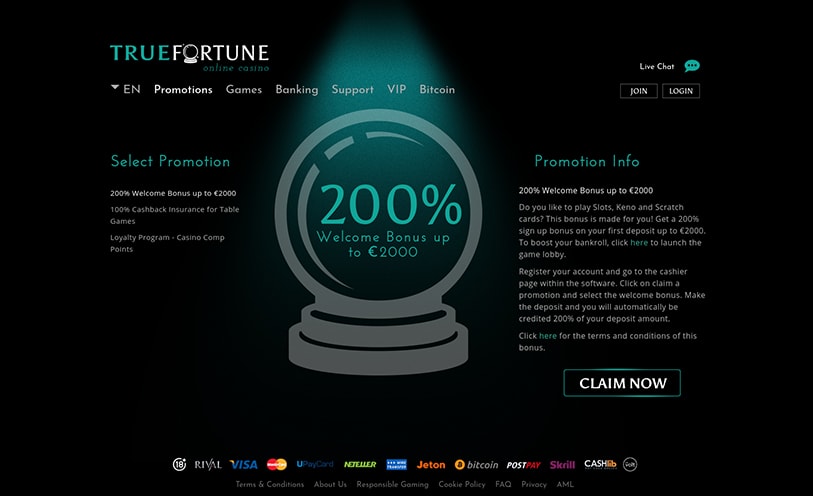
Type the casino’s web address into your browser rather than following a link from an unfamiliar message. Check that the address is spelled correctly and that the page uses a secure HTTPS connection. Look for the casino’s mobile or app section and read the installation instructions in full. If an APK is not currently offered on the official site, do not assume that a file hosted elsewhere is genuine.
You can also ask customer support to confirm whether an Android app is currently available and how the official download should be identified. Support should not ask for your account password, banking password, or a one-time verification code to answer a general question about an app.
Prepare your Android device
- Update Android and your browser before downloading.
- Check that your device has enough free storage.
- Use a screen lock and keep Google Play Protect or your device’s security tools enabled.
- Download over a trusted Wi-Fi connection or a secure mobile network.
- Do not disable security features just because an unfamiliar page tells you to.
Installing an APK Carefully
If you have confirmed that Truefortune currently provides the file, follow the casino’s up-to-date instructions. Android settings differ across manufacturers and software versions, but the system may ask you to allow a particular browser or file manager to install unknown apps. Grant permission only when necessary for the verified installation, and avoid enabling it broadly for every application.
- Open the official Truefortune page and use its confirmed Android download option.
- Wait for the download to finish; do not open files with unexpected names or formats.
- Review Android’s installation prompt. If the app name or requested access looks unrelated to casino play, cancel.
- Install only if the file and instructions match what the official site or support team confirmed.
- After installation, return to settings and revoke the browser’s permission to install unknown apps if you no longer need it.
Be cautious if an installer asks for permissions that do not seem necessary, such as access to contacts, text messages, or accessibility controls. A permission request is not proof that an app is malicious, but unexpected access is a reason to stop and check with support before proceeding. Do not install a second “security update” or extra application from a pop-up that appears during the process.
Account and Payment Precautions
After opening the app, verify that you are still on the genuine casino service before entering account details. Use a strong, unique password and do not save it on a shared device. If your phone supports biometric unlocking, that can add convenience, but it does not replace a secure account password. Never share your login details or payment authentication codes with another person.
Before depositing, review the payment options shown in your account and check their terms, processing times, and any charges. Availability can differ for New Zealand customers, and a familiar payment logo does not guarantee that every method is supported for every account. Make sure the payment page is secure and that the account name and transaction amount are correct before confirming.
Set a spending limit before you play and treat casino gaming as paid entertainment, not a way to earn income. Games of chance can result in losses, and no strategy or app can guarantee a win. If play is becoming difficult to control, stop and look for responsible-gambling tools or independent support available to you in New Zealand.
APK or Mobile Browser?
An APK is not automatically better than playing through a mobile browser. A browser may be a simpler option if you want to avoid installing software or changing Android settings. It can also reduce the number of apps on your device. On the other hand, an official app may be designed for a more app-like experience, if the casino currently offers one for your device.
| Option | Potential advantage | What to consider |
|---|---|---|
| Official APK | May provide a dedicated mobile interface. | Verify the file source, permissions, and installation steps. |
| Mobile browser | No separate app installation may be needed. | Use the correctly typed casino address and keep the browser updated. |
| Unofficial APK site | No reliable safety advantage. | Avoid; the file may be outdated, altered, or unrelated to the casino. |
Questions New Zealand Players Often Ask
Is it safe to download the Truefortune APK?
Safety depends on whether the file is genuinely supplied by the casino and whether it is installed using verified instructions. No download can be declared safe based only on its name or appearance. Confirm the current source through the official site or customer support, check Android’s prompts, and stop if anything seems inconsistent.
What if Android blocks the installation?
Do not immediately turn off security protections. First confirm that the file came from Truefortune’s official channel and that your device meets the stated requirements. If Android displays a warning, read it carefully. Contact support for clarification rather than following instructions from a third-party forum or download page.
Can I use Truefortune in a mobile browser instead?
If the casino’s website supports your browser and device, you may be able to access its mobile service without installing an APK. Visit the site directly and check the available options. Do not assume that an app is required just because a download link appears in a search result.
After Installation: Keep Your Device Secure
Keep Android and the casino app updated, using only updates confirmed through the official channel. If an app update arrives from an unexpected website, pause and verify it. Remove the app if it behaves strangely, requests new permissions without a clear reason, or no longer appears to be connected to the official service. You can also clear saved login details and review device permissions after uninstalling.
For a safer experience, keep casino activity separate from essential device use where practical. Avoid playing on public or shared devices, log out when finished, and do not leave an account open for someone else to access. If your phone is lost, change your casino password from another trusted device and contact support if you think your account may be at risk.
A Sensible Download Checklist
- Use the Truefortune website or a download route confirmed directly by its support team.
- Check the web address carefully and avoid third-party APK repositories.
- Read Android installation warnings and review requested permissions.
- Revoke “install unknown apps” permission when the installation is complete.
- Use a unique password, check payment details, and set a firm gambling budget.
The safest approach is to verify every step rather than rushing to install a file. If the official site does not clearly confirm that a Truefortune APK is available, use the supported mobile browser option or wait for guidance from customer support. A few minutes of checking can help protect your device, account, and personal information while you decide whether mobile casino play is right for you.